Scene backgrounds
A scene is a reusable illustrated background: a base SVG plus optional overlay variants, exactly like a character but with no poses. Put one in a panel and it fills the panel.
scenes_dir: "../scenes"     # where the scene directories live

rows:
  - panels:
      - scene: dvur                            # defaults for every slot
      - scene: {name: dvur, weather: rain}     # pick a variant
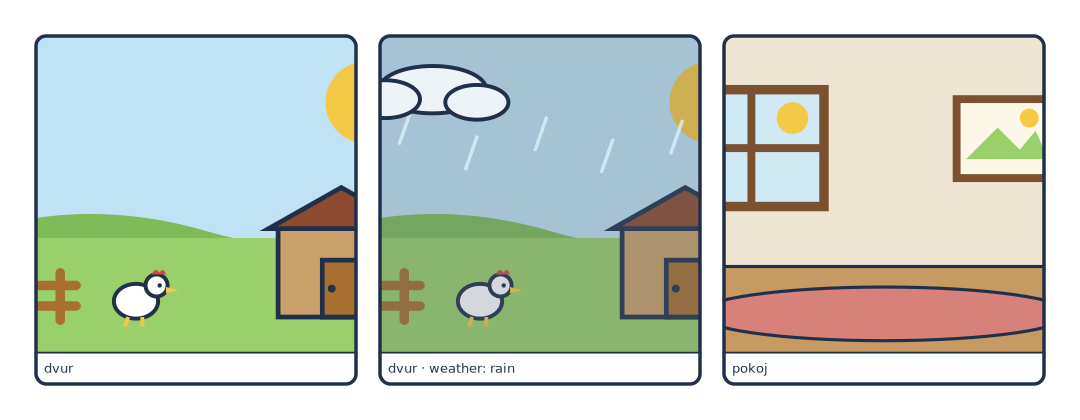
# A scene is a reusable background, scaled to *cover* the panel it lands in.
page: [180, 70]
px_per_mm: 6
margin_mm: 6
gutter_mm: 4
library:    "../../examples/pes/characters"
scenes_dir: "../../examples/pes/scenes"

rows:
  - panels:
      - {caption: "dvur", scene: dvur}
      - {caption: "dvur · weather: rain", scene: {name: dvur, weather: rain}}
      - {caption: "pokoj", scene: pokoj}
Slots work like a character's
A scene declares slots and variants the same way a character does, and the same manifest command answers what exists:
{
  "dvur":  {"label": "Dvůr",  "slots": {"weather": ["clear", "rain"]},
            "default": {"weather": "clear"}},
  "pokoj": {"label": "Pokoj", "slots": {}, "default": {}}
}
Slots are how one background covers several beats of a story — weather, time of day, a door open or shut, a prop that appears in panel three. Everything not named in the spec falls back to the scene's default.
scene: dvur is shorthand for scene: {name: dvur}; you only need the mapping
form when you are choosing variants.
Cover scaling
A scene is drawn at whatever size it takes to cover the panel: scaled until it fills both dimensions, centred, with the overflow clipped away by the panel's rounded rectangle.
That means a scene never letterboxes and never distorts — a wide farmyard in a tall panel loses its left and right edges rather than squashing. Draw the important part of a background near the middle, and give the edges some slack.
The same rule applies when the scene fills a whole canvas as a standalone illustration.
Actors over a scene
The scene is drawn first; sprites, actors and bubbles compose on top with their usual panel-fraction coordinates, unaffected by the scene's own viewBox.
- scene: {name: dvur, weather: clear}
  actors:
    - {char: tom,  face: happy, arms: point, x: 0.34, y: 0.66, scale: 0.8}
    - {char: bara, pose: sit, face: happy,   x: 0.76, y: 0.74, scale: 0.4}
  bubbles:
    - {text: "Tady!", kind: speech, speaker: tom}
Because scene and actors are unrelated coordinate systems, you place figures by eye against the picture — there are no ground planes or depth layers to line up.
scenes_dir is only needed if you use one
The library is lazy: a spec that never writes scene: does not need
scenes_dir: at all. Add the key when the first panel wants a background, and
the error you get for forgetting it names the key to set.
Drawing your own
A scene is base.svg + <slot>-<variant>.svg + scene.yaml in a directory
under scenes/. See Making the art › Scenes.